
 264
264SiteAnalyzer SEO Tools 4.0 introduces Query Fan-Out monitoring for popular AI assistants, including ChatGPT, Gemini, Claude, DeepSeek, Perplexity, and others.
When users ask AI assistants complex questions, these systems often break a single prompt into multiple related search queries to gather information from across the web. This process, known as Query Fan-Out, plays an important role in determining which websites, pages, and brands appear in AI-generated answers.
With the new Query Fan-Out module in SiteAnalyzer SEO Tools, SEO and GEO specialists can monitor these hidden search queries, discover which sources AI assistants retrieve, identify the pages they actually cite, and understand why some websites gain visibility while others are left out.
In this article, we'll explore how Query Fan-Out works, what data the extension collects, and how you can use it to analyze and improve your website's visibility in AI-powered search.
Query fan-out: What exactly is it?
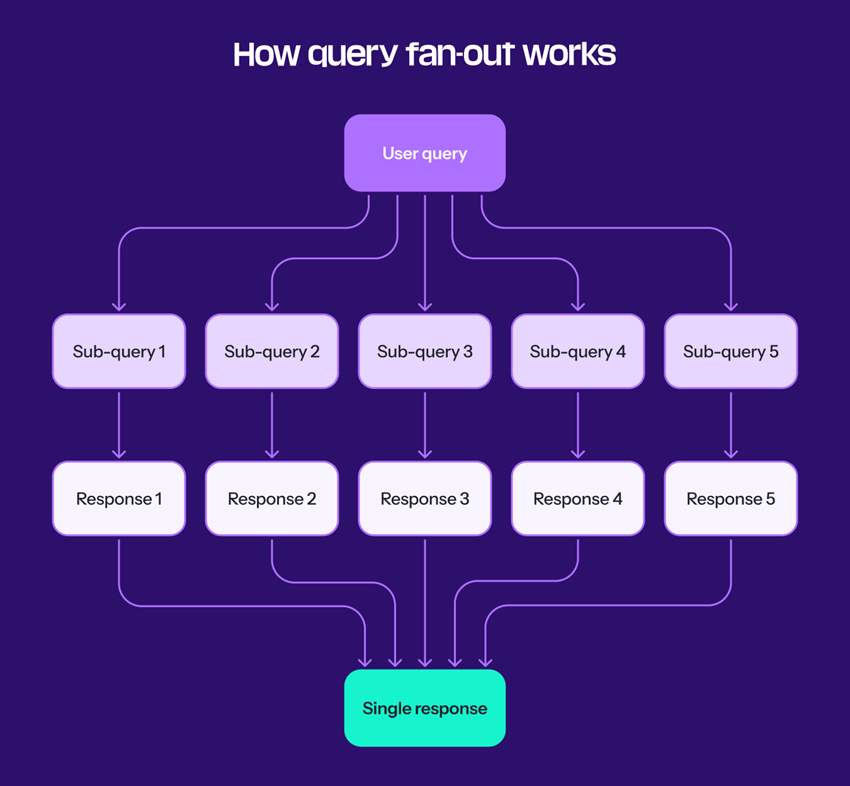
Fan-out queries are a method AI assistants use to answer complex questions.
When you ask Alice, ChatGPT, Claude, Gemini, or another AI assistant a question that requires information from the web, the assistant can silently transform your single question into multiple parallel search queries. These may include related topics, hidden questions, comparisons, freshness checks, and reformulations.
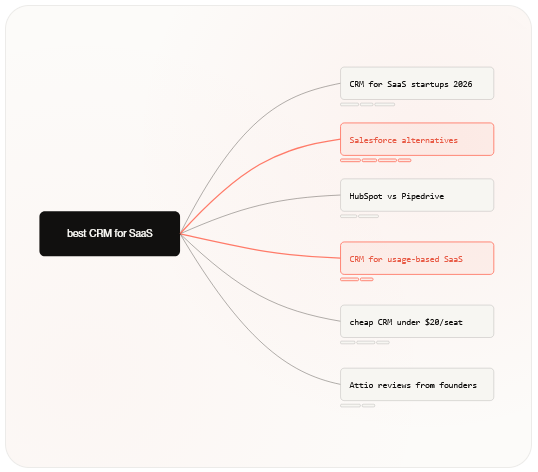
The AI assistant then examines dozens of sources but includes only some of them in the final answer.
Research shows that a typical prompt can branch into 9-11 subqueries, while deep research may trigger hundreds of search operations based on a single question.
The problem is that these additional fan-out queries remain invisible.
They do not appear in Google Search Console. Keyword research tools typically show zero search volume for them, while analytics platforms do not track them.
Yet these queries can determine which pages are discovered, which brands are mentioned, and which websites gain visibility in AI-generated answers.
Query Fan-Out Module
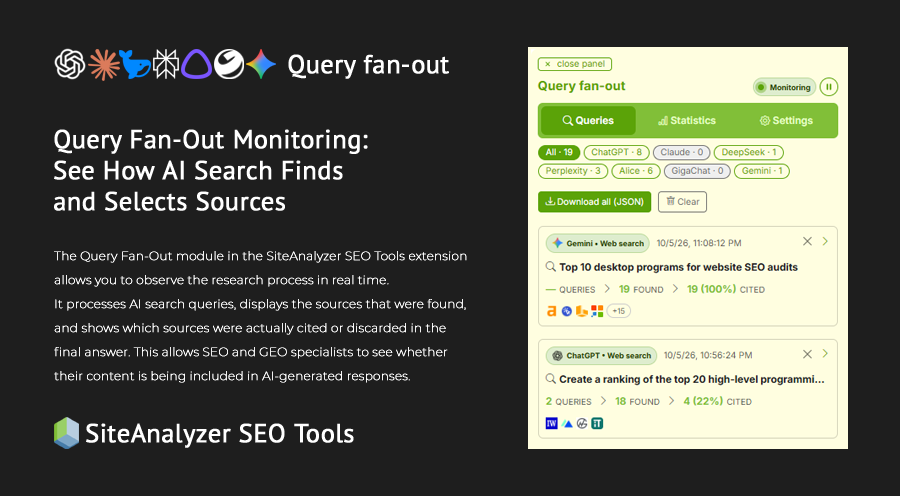
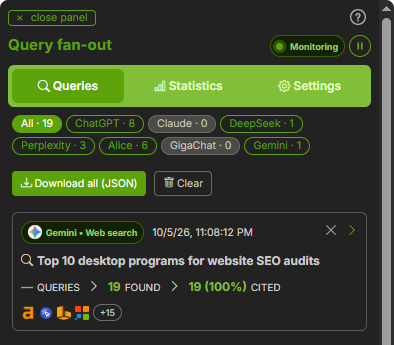
The Query Fan-Out module in the SiteAnalyzer SEO Tools extension allows you to observe the research process in real time.
It processes AI search queries, displays the sources that were found, and shows which sources were actually cited or discarded in the final answer. This allows SEO and GEO specialists to see whether their content is being included in AI-generated responses.
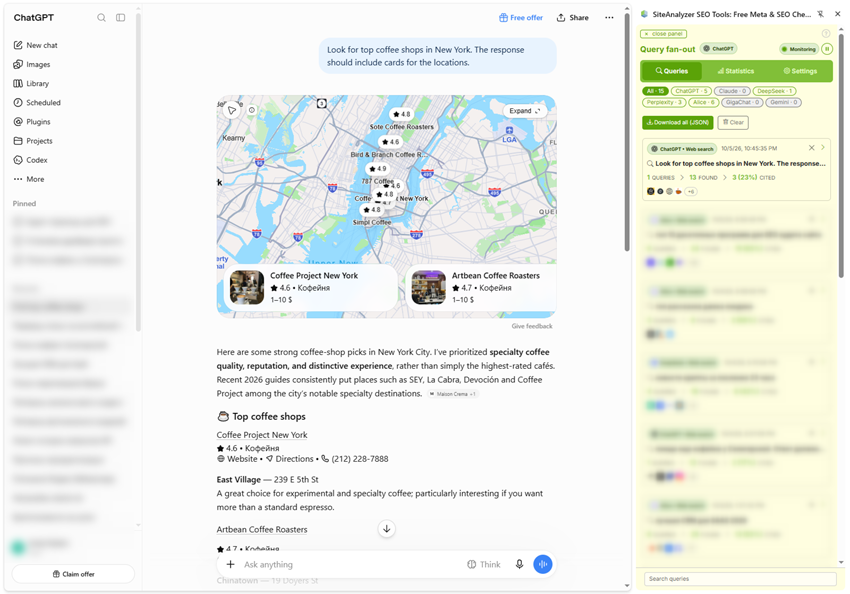
Enter a query, and the extension will display the list of subqueries, sources, and a priority assessment for each one.
What our tool shows
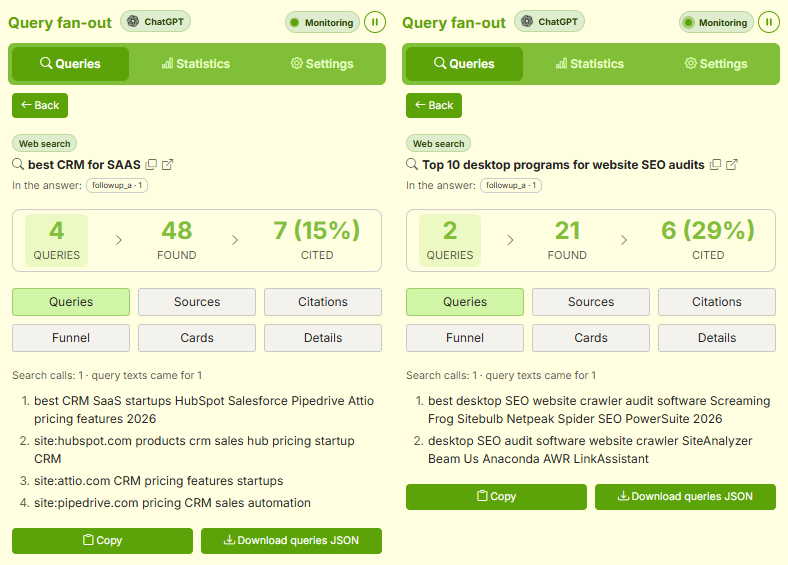
- Queries (fan-out queries) – the actual questions sent to the AI assistant behind the scenes to process your original query.
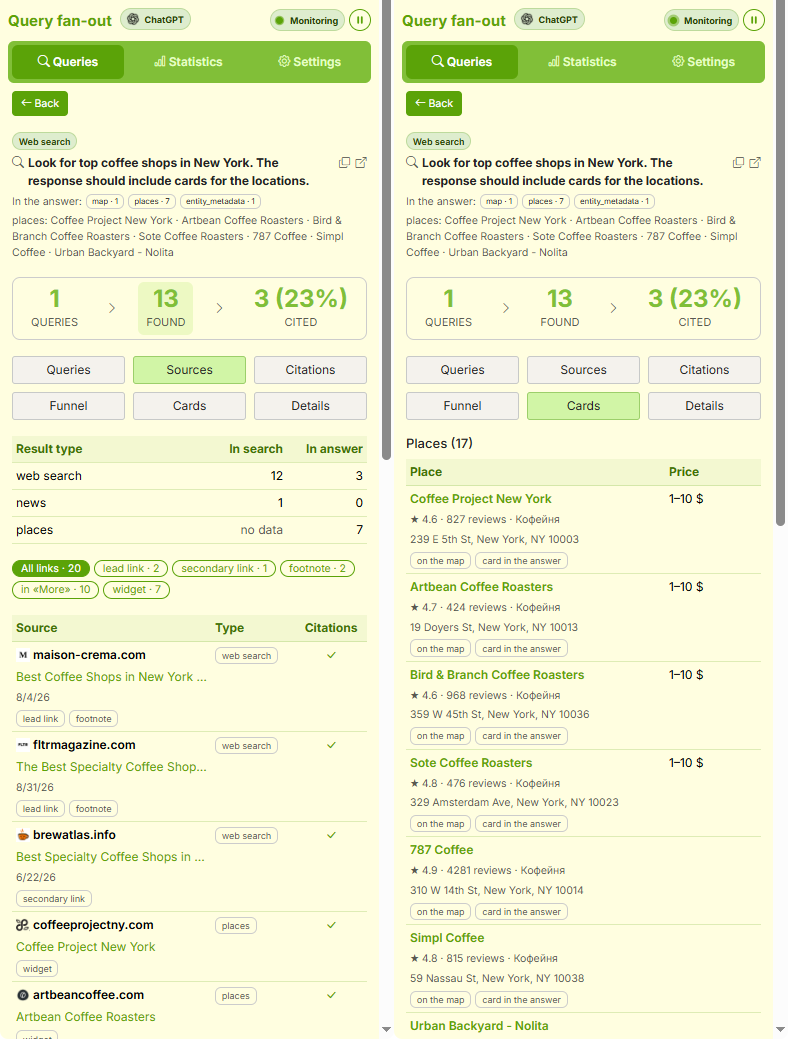
- Sources – all pages discovered by the AI, with an indication of whether each source was cited.
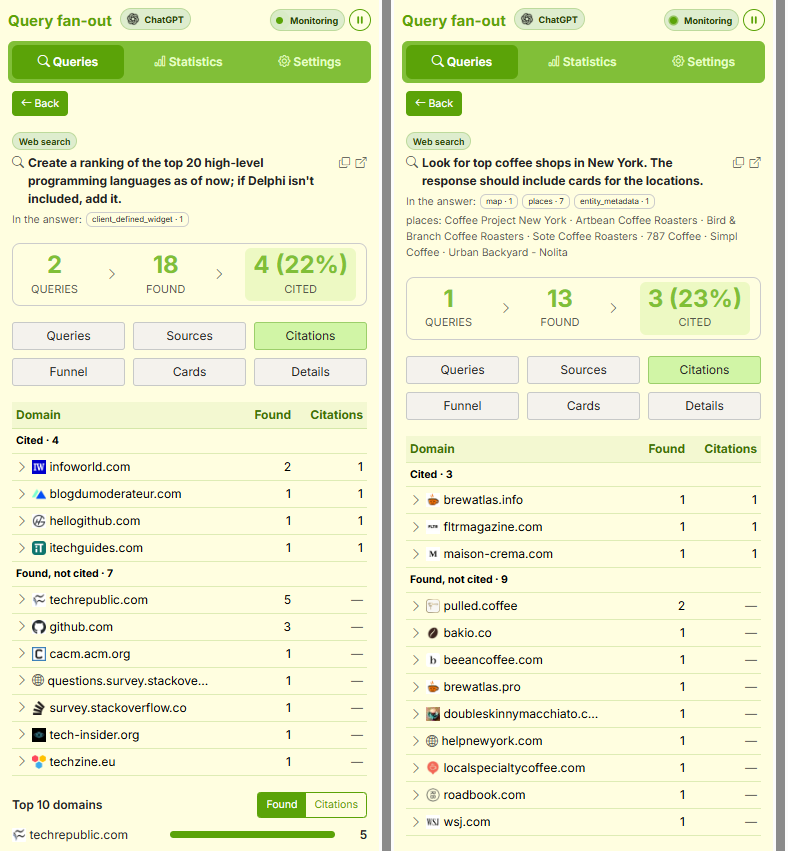
- Citations – pages whose information was included in the final answer, along with the quoted text snippets, grouped by domain.
- Funnel – shows the path pages take from search to the final answer: how many sources the assistant found and what happened to them afterward. It contains the same pages as the "Sources" section, but displays them as stage-by-stage counters rather than a list.
- Cards – ready-made blocks such as Products, Places, and Ads that the assistant inserts into its response instead of regular text links.
- Details – statistics for each conversation, including the conversation title, region, model, model mode, unique domains, and other information.
What you can do with the Query Fan-Out module
- Analyze how AI search processes the topic behind your query by tracking query branching (fan-outs).
- Find out which domains are cited and which are only visited but not used in the final answer.
- Compare the results of the same query to evaluate citation stability.
- Explore sources by website type, such as manufacturer websites, review sites, YouTube, news websites, social media, and image sources.
- Search and filter your entire query history.
- Export data in JSON format or copy it to the clipboard.
- Improve your prompt engineering skills and the quality of AI-generated answers.
Supported AI Assistants
The extension currently supports:
- ChatGPT (chatgpt.com)
- Claude (claude.ai)
- Gemini and Google AI Studio (gemini.google.com)
- DeepSeek (deepseek.com)
- Perplexity (perplexity.ai)
- Alice AI (alice.yandex.ru)
- GigaChat (giga.chat)
Supported Search Engines
- Google (google.com)
- Yandex (ya.ru)
How It Works
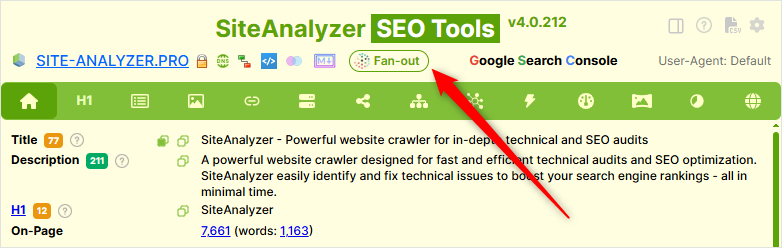
Open the extension's sidebar and use ChatGPT, Claude, Alice AI, or another supported assistant as you normally would. As responses are generated, records will appear in the sidebar grouped by conversation. The extension lets you see exactly which additional queries the AI generated from your original prompt, which sources it used, which URLs it actually cited, and how your own domain compares with those sources.
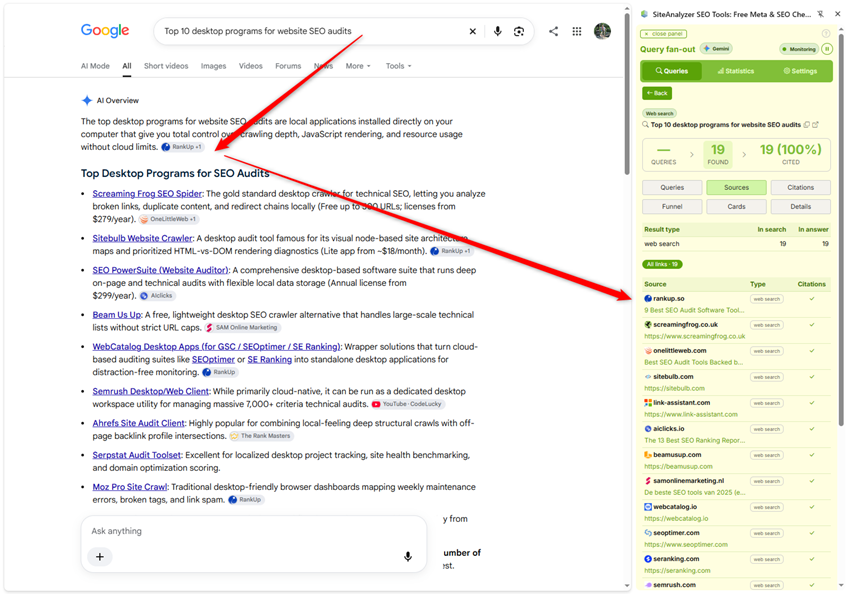
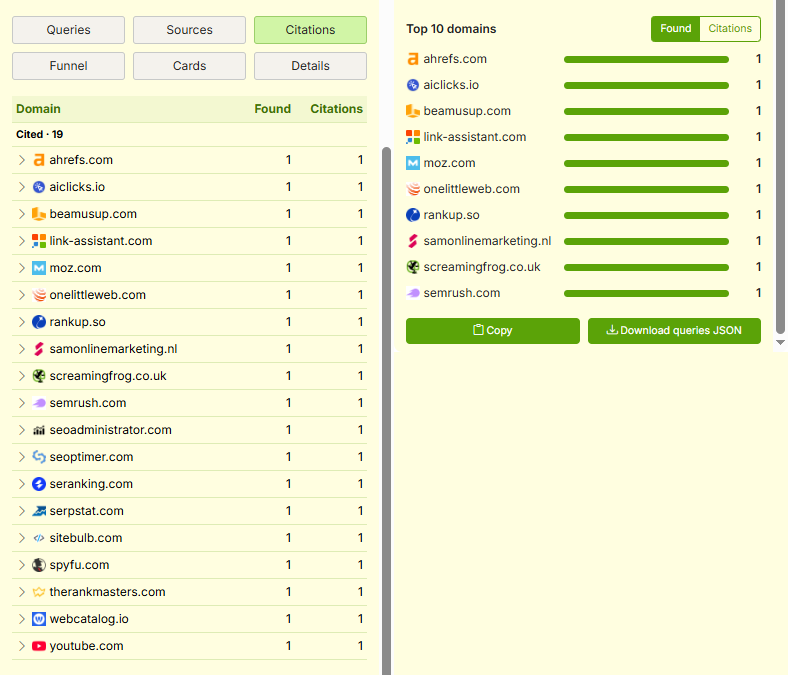
The Query Fan-Out module makes this visible so you can understand why your pages may or may not appear in AI-generated answers.
Disabling Automatic Monitoring
Automatic monitoring can be disabled, allowing you to launch Query Fan-Out monitoring manually.
This can be useful when, for example, you do not want your AI questions and answers to be automatically added to the extension history. You can delete individual questions or clear the entire history at any time.
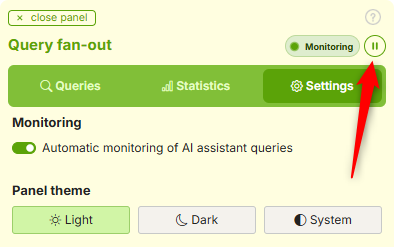
To enable manual Query Fan-Out monitoring, click the Monitoring panel in the upper-right corner of the extension sidebar. The next AI question will then be saved to the general history. Once the AI assistant returns its response, monitoring will automatically become inactive again.
Query Fan-Out Statistics
The extension currently provides three Query Fan-Out statistics blocks.
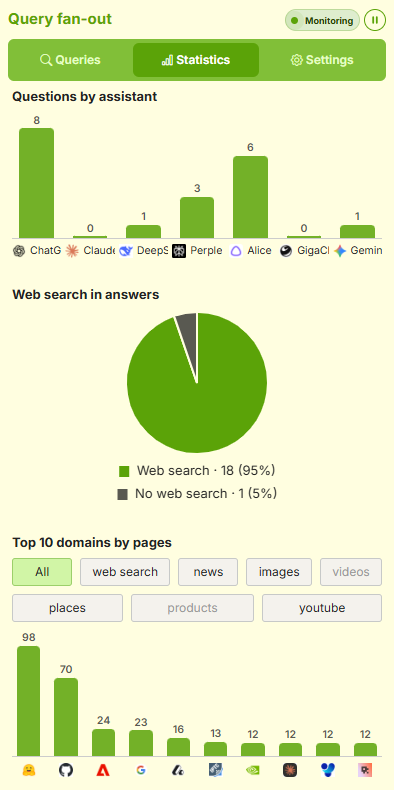
They show:
- the distribution of questions across AI assistants
- the percentage of answers that use web search
- the Top 10 domains most frequently appearing in AI-generated answers
Dark Mode
The Query Fan-Out panel can be switched to dark mode.
The panel supports three themes: Light, Dark and System.
Privacy
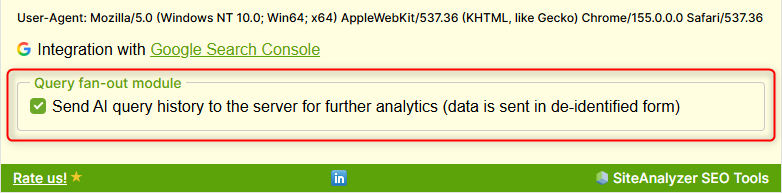
By default, AI requests are sent to one of our servers for subsequent analytics. The transfer is carried out in anonymized form.
If desired, you can disable the forwarding of AI request history to the server in the extension settings.
***
Install the SiteAnalyzer SEO Tools extension from the Chrome Web Store or Firefox Add-ons and start monitoring how AI assistants search the web, select sources, and build their answers!

Author Andrey Simagin
Over 15 years of experience in SEO and marketing. Primary areas of expertise: development of software, tools, and web services for SEO (SiteAnalyzer, SEO Tools, SERPRiver). Website promotion services in Yandex... →
Other articles: