




 137
137
Hello everyone! In the new version of SiteAnalyzer, the long-awaited integration of the program with Google and Yandex analytics systems has been implemented, and the ability to export all URLs and keyword statistics from Google Search Console, Yandex Webmaster, and Yandex Metrica to CSV has been added. Let's take a closer look at the details of the new version.
Integration with Google and Yandex analytics systems
Upon numerous requests from users, we have added the ability to analyze website pages and obtain statistics using the API of Google and Yandex analytics systems:
- Google Search Console
- Yandex Webmaster
- Yandex Metrica
Key analysis features:
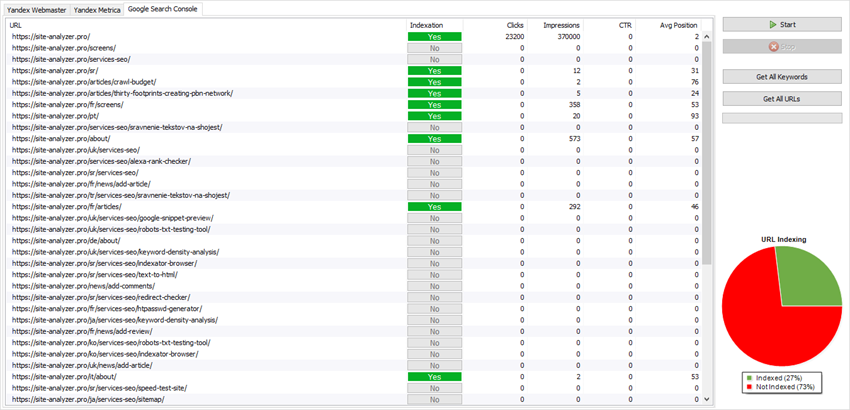
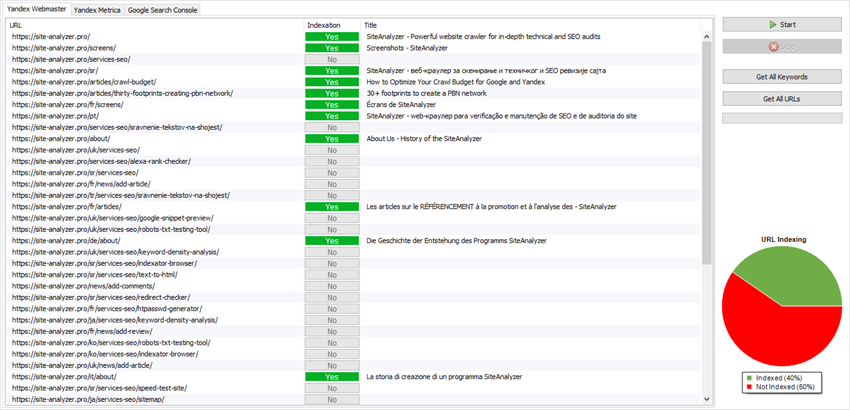
- Checking the indexing status of website URLs in Google and Yandex
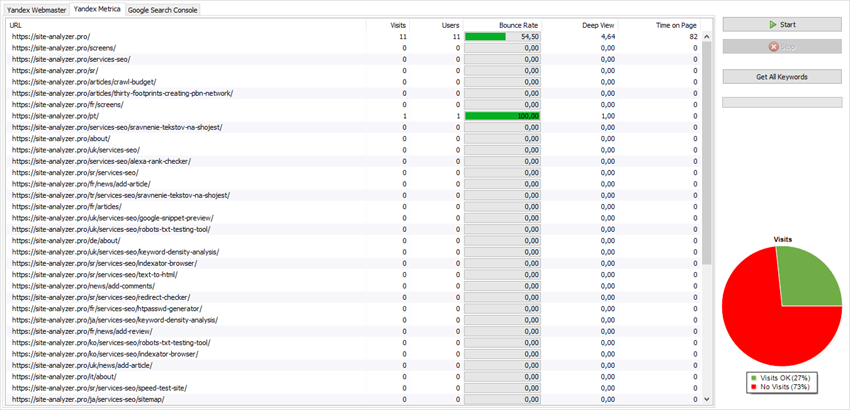
- Determining the volume of traffic arriving at specific pages of the site
- Getting a list of pages that are underperforming in terms of traffic
- Getting a list of pages with a high bounce rate or low conversion rate
- Identifying non-indexed pages in Google and Yandex
- Exporting key phrases from Google Search Console, Yandex Webmaster, and Metrica
- Displaying keyword dynamics via Google Trends
Thus, SiteAnalyzer now allows you to obtain information about the indexing of website pages, analyze the amount of incoming traffic to these pages, find out the bounce rate by URL, get the page depth view, check the indexing status of pages, receive a list of queries for which a particular page ranks, and export all this data to Excel.
Website statistics via Google Search Console
Website statistics via Yandex Webmaster
Website statistics via Yandex Metrica
Setting up analytics systems
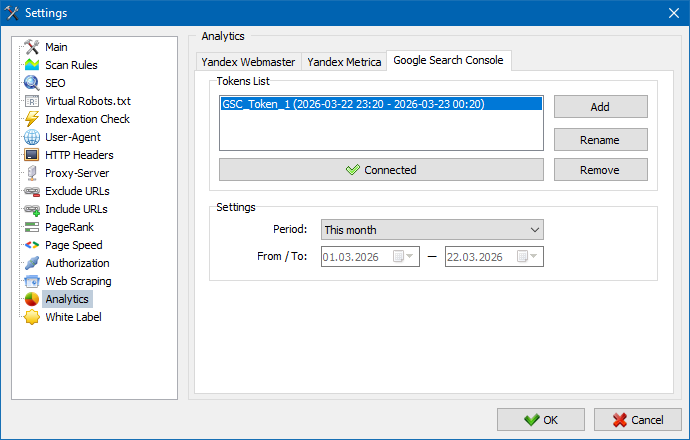
How to use the analytics module
- First, you need to obtain tokens (special keys) to work via the Yandex or Google API – tokens for Google and Yandex can be obtained in a semi-automatic mode using the program itself and a browser – the key is automatically copied into the program after authorization in the browser in one of the search engines.
- Google tokens are issued for one hour. After they expire, you need to delete the old one and add a new token again.
- Yandex tokens are issued for one year.
- After receiving the tokens, you need to connect to the account of the analytics system you are interested in by clicking the "Connect to Account" button. You can then go to the corresponding tab in the Analytics section of the main program window.
Next, after obtaining the tokens and connecting with the account, on the "Analytics" tab of the selected project, you need to click the "Start" button, and if the selected project is present for this token, then data will be received from all URLs in the list based on the analytics system of interest.
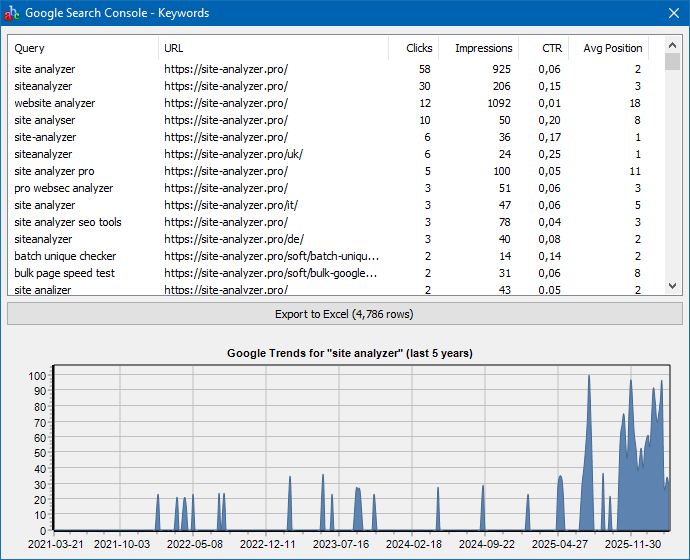
Keyword export
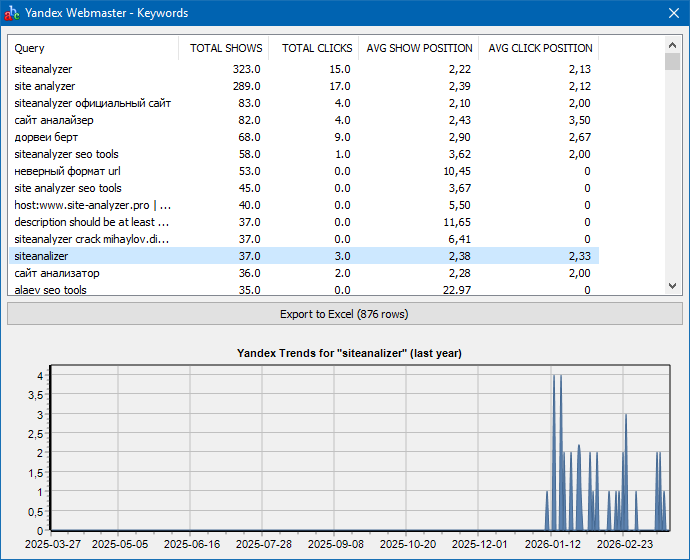
To get all keywords from the Google Search Console, Yandex Webmaster, and Yandex Metrica statistics systems, you need to connect to the corresponding API via the "Connect to account" button in the program settings, then select the desired project from the list and click the "Get All Keywords" button.
Example of exporting key phrases from Google Search Console
Example of exporting key phrases from Yandex Webmaster
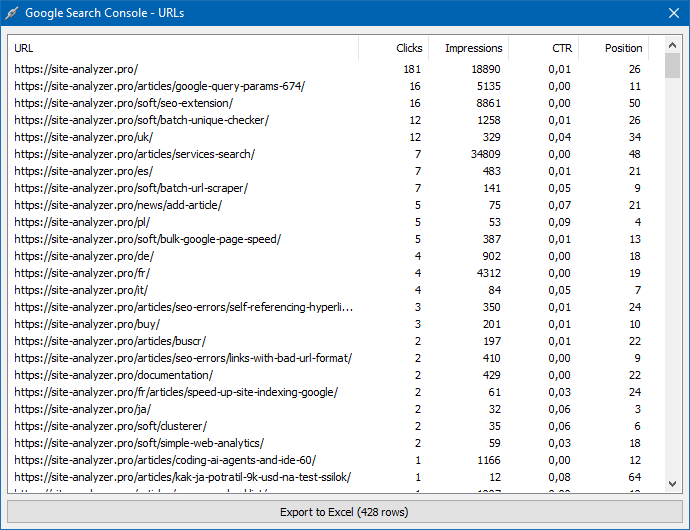
URL export
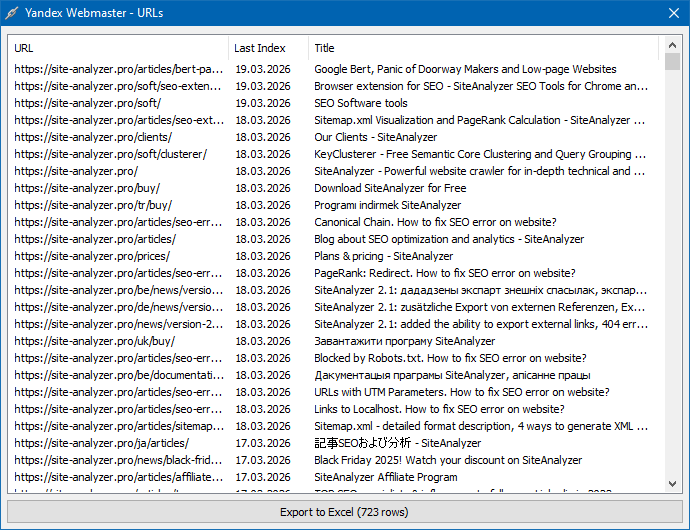
The ability to retrieve all indexed URLs of a site is available only for Google Search Console and Yandex Webmaster. This is done similarly via the "Get All URLs" button.
Example of exporting URLs from Google Search Console
Example of exporting URLs from Yandex Webmaster
Other changes
- When starting a site scan, a brief display of scanning settings has been added to the "Info" panel.
- Fixed an error related to incorrect determination of canonical URLs for main site pages.
- Fixed incorrect indexing checks and incorrect User-Agent specification when scanning a custom list of URLs.
That's all for now.
We will be happy to receive any comments and suggestions regarding the operation and development of the program's functionality.
***
Follow us on Linkedin! https://www.linkedin.com/in/andrey-simagin/
See you soon!
News about last versions:





















